
Most businesses start their spring cleaning in closets, but the real mess often hides elsewhere.
It might be piled up on a server rack, stashed away in storage rooms or back offices, or tossed into that "deal with it later" box.
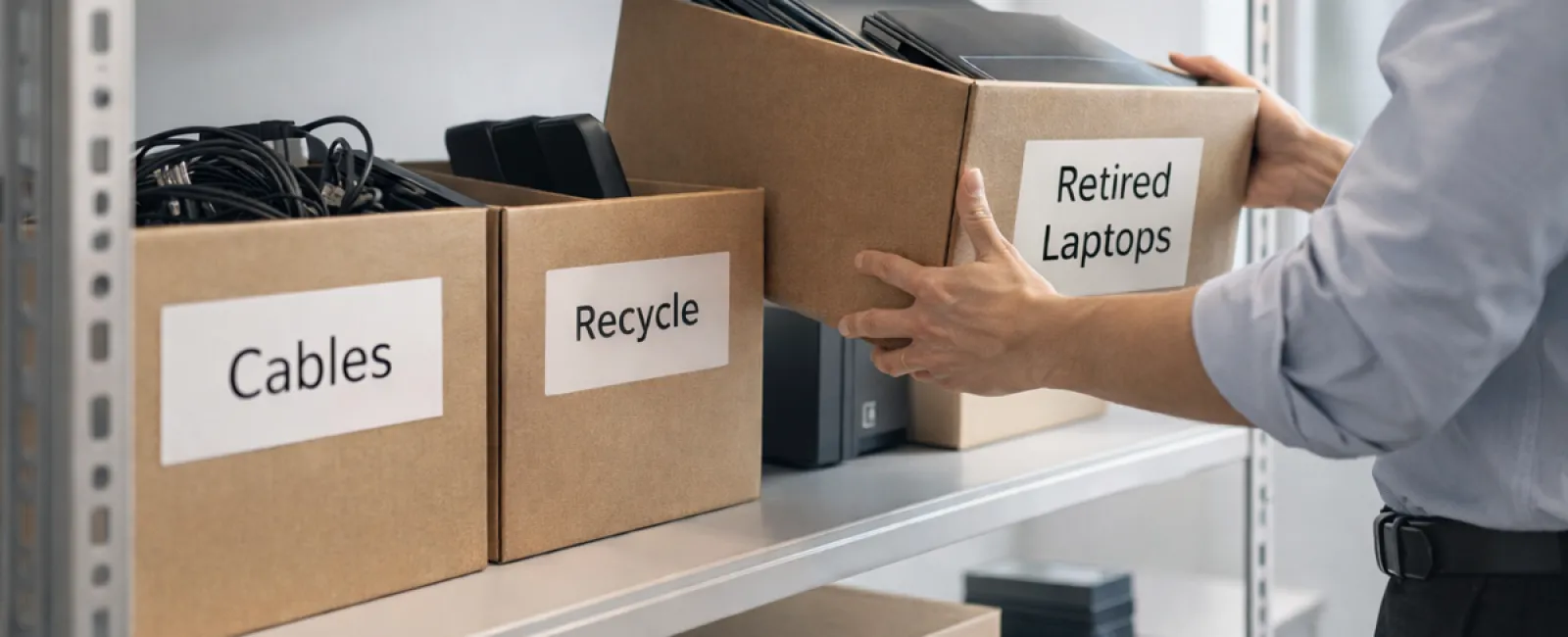
Old laptops, outdated printers, backup drives from several upgrades back, and boxes of cables kept "just in case."
These tech remnants pile up in every company.
The real question isn't if you have these items, but do you have a clear plan for their next steps?
The True Lifecycle of Technology Extends Beyond the Purchase Date
Purchasing new gear usually comes with clear goals: faster performance, greater security, enhanced capabilities, or supporting growth.
While most companies carefully plan how they buy technology, far fewer have a strategy for how to retire it.
Technology retirement often happens quietly: equipment is replaced, set aside, and eventually someone decides to clear it out.
That's how it usually goes.
What's uncommon is approaching tech retirement with the same deliberate care as its purchase.
Old devices still hold value—whether for reuse, recycling, or data recovery—but they can also drag down operations if left unused and forgotten.
Spring is the perfect season to evaluate: which equipment still serves us and which only occupies space?
A Clear Method to Organize and Retire Your Technology
To turn this into an effective process rather than just a thought, try our straightforward four-step plan.
Step 1: Take Inventory
Identify what equipment is up for retirement: laptops, phones, printers, network devices, or external drives? Managing starts with knowing what you've got, and you might find more than expected during a quick inspection.
Step 2: Choose the Right Outcome
Every device usually fits into one of three categories: reuse (internally or donated), recycle (via certified e-waste programs), or destroy (for sensitive data). The goal is to make these decisions intentionally, avoiding forgotten hardware piling up.
Step 3: Prepare Each Device Correctly
This step demands careful attention.
For reuse or donation, remove devices from management systems, revoke access, and verify thorough data wiping—not just a simple factory reset. Deleting files or quick formats don't truly erase data; they only hide where it's stored.
A report by Blancco revealed that 42% of drives resold on eBay still held sensitive info such as tax records and passports, despite sellers claiming they were wiped. Certified erasure tools overwrite all sectors and provide verification.
For recycling, avoid dumpsters or curbside drops. Programs like Best Buy's recycling cater only to households, not businesses. Instead, seek certified IT asset disposition (ITAD) providers or commercial e-waste recyclers with e-Stewards or R2 certifications (find them via e-stewards.org and sustainableelectronics.org). Your IT provider can often coordinate this.
When destruction is required, use certified data wiping or physical destruction methods like shredding or degaussing, and maintain a record including serial number, destruction method, date, and responsible party.
This isn't paranoia—it's about closing the retirement loop securely.
Step 4: Document and Finalize
Once equipment leaves your facility, track where it went, how it was handled, and confirm access removal. Proper documentation ensures all loose ends are tied up.
Commonly Overlooked Devices in Retirement
Laptops get attention—but other hardware frequently doesn't.
Phones and tablets can still hold email, contacts, and authentication apps. While a factory reset covers most needs, certified mobile wiping tools offer deeper security. Major brands like Apple and Samsung provide trade-in programs—even for older devices—so you might earn credit toward replacements.
Modern printers and copiers often contain internal drives storing every document scanned, printed, copied, or faxed. Before returning leased units, confirm in writing that the drives will be wiped or removed prior to redeployment.
Batteries are classified as potentially hazardous by the EPA, and in states like California, New York, and Minnesota, business disposal in regular trash is illegal. Remove batteries when possible, tape terminals to prevent shorts, and drop them at certified locations. Call2Recycle.org provides a searchable map, and retailers like Staples, Home Depot, and Lowe's accept rechargeable batteries.
External drives and retired servers often linger in closets far longer than planned. Though not inherently problematic, these devices require the same thoughtful retirement process as all others.
Responsible Recycling Matters
Earth Day in April serves as a timely reminder.
Electronic waste must not end up in landfills. Over 62 million metric tons of e-waste are generated worldwide annually, but only about 22% is properly recycled. Items like batteries, monitors, and circuit boards belong in certified recycling streams. Most communities provide e-waste programs for this purpose.
Properly retiring technology keeps operations efficient, supports environmental responsibility, and aligns with your security needs. You don't have to choose between safety and sustainability—you can have both.
Plus, sharing these responsible practices on your business's social media quietly builds customer trust and loyalty.
Looking Beyond Cleaning: Seize the Bigger Opportunity
Spring cleaning is less about disposal and more about making room for progress.
Removing outdated hardware is just one part. As you assess your technology, ask: does it actively support the way we want to run our business?
Hardware changes, but today's success depends on software, systems, automation, and efficient processes driving growth.
Properly retiring old equipment is good maintenance. Aligning your technology strategy with business goals propels you forward.
How We Support Your Tech Journey
If you already have a smooth process for retiring tech, that's ideal—it should be routine and hassle-free.
While replacing hardware responsibly, it's smart to look at your overall tech ecosystem. Are your systems integrated? Do your tools boost growth or just maintain status quo?
If you'd like to evaluate how your technology stack and workflows affect productivity and profitability, we're here to chat.
No sales pressure, no checklists—just practical advice on optimizing technology for your business success.
Click here or give us a call at (321) 221-2991 to schedule your free Consult.
Enjoyed this insight? Share it with fellow business owners.
Spring cleaning goes beyond closets—it includes refining the systems driving your business.


